You are ready to launch a website, you start comparing hosting plans, and suddenly you are drowning in terms: shared hosting, managed WordPress hosting, cloud hosting, VPS, dedicated. They all promise speed and reliability, and they all cost wildly different amounts. So which one do you actually need? This guide explains shared vs managed vs cloud hosting in plain English and tells you exactly which type fits your website today.
The honest answer depends on where your site is right now, not where you hope it will be in five years. Most people overpay by buying hosting built for traffic they do not have yet. I have used all three types across real websites, and below I break down what each one does, what it costs, and who it is for.
⚡ The Quick Answer
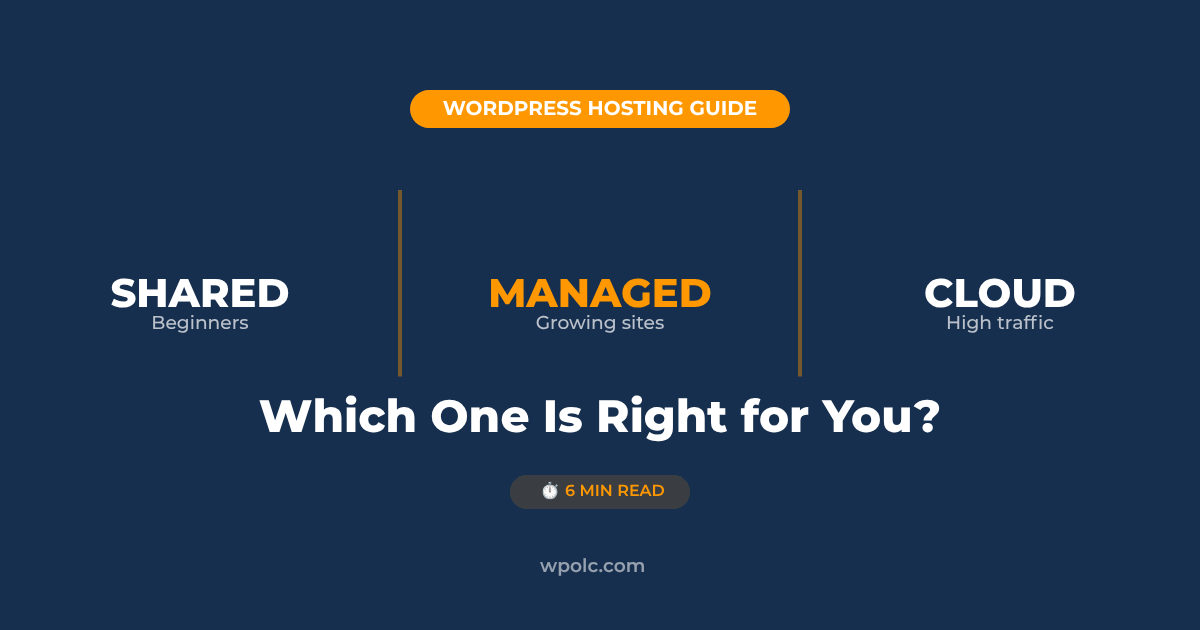
Shared: Best for beginners, first websites, blogs, and small sites on a budget. The cheapest way to get online.
Managed: Best for growing sites and business websites that want speed and security handled for them.
Cloud: Best for high-traffic sites, online stores, and developers who need to scale and handle traffic spikes.
Here is a simple analogy that makes all three click into place. Shared hosting is renting a room in a house full of strangers who all share one kitchen. Managed hosting is renting a serviced apartment where staff handle the cleaning and maintenance. Cloud hosting is an elastic building that grows more rooms automatically when guests arrive. Keep that picture in mind as we go.
What Is Shared Hosting?
Shared hosting is the entry point for almost everyone. Your website lives on a single physical server alongside dozens or even hundreds of other websites. Everyone shares the same resources: CPU, memory, and storage. This is why it is cheap. The cost of the server is split across all those sites.
For a new website with low to moderate traffic, shared hosting is genuinely fine. A new blog, a portfolio, a small business site, or a resume website will run smoothly on shared hosting for a long time. Around 37 percent of all websites still run on shared hosting, which tells you it works for the majority.
Shared Hosting Pros and Cons
Pros
✓ Cheapest option ($2 to $5 per month)
✓ Beginner-friendly dashboards
✓ One-click WordPress installation
✓ No technical management required
✓ Free domain and SSL often included
Cons
✗ Slows down during traffic spikes
✗ Affected by other sites on the server
✗ Limited resources (CPU, memory)
✗ Fewer advanced features
✗ You handle updates and backups
The main weakness is the noisy neighbor problem. If another site on your server suddenly gets a flood of traffic, it can slow your site down too, because you share the same resources. For a new site, this rarely matters. For a busy store, it can become a problem.
My recommendation for shared hosting: For your first website, Hostinger offers the best value in shared hosting. Cheap entry price, a beginner-friendly dashboard, a free domain, and fast enough performance for a new site. It is what I recommend to anyone just starting out.
Managed WordPress hosting is shared or cloud hosting with a concierge service layered on top. The host takes care of everything technical that keeps a WordPress site healthy: automatic updates, daily backups, security monitoring, caching for speed, and WordPress-specific support.
The idea is simple. You focus on your content and your business. The host handles the server side. If something breaks, their team fixes it. If WordPress needs an update, they handle it. If your site gets attacked, their security catches it. You pay more for this peace of mind.
Managed Hosting Pros and Cons
Pros
✓ Automatic updates, backups, security
✓ Faster than basic shared (built-in caching)
✓ Expert WordPress support
✓ Staging environments to test safely
✓ Hands-off, saves you time
Cons
✗ More expensive than basic shared
✗ Sometimes limits which plugins you use
✗ Overkill for a brand new site
✗ Can restrict server-level customization
Managed hosting makes the most sense once your site earns money or matters to your business. A WooCommerce store, a busy blog, a client website, or any site where downtime costs you directly. At that point, paying someone to handle maintenance is cheaper than losing sales to a crashed site.
My recommendation for managed hosting: Hostinger offers affordable managed WordPress plans for growing sites. For more hands-on managed cloud performance, Cloudways is excellent, giving you managed convenience on top of powerful cloud servers. Read my full Cloudways review for the details.
What Is Cloud Hosting?
Cloud hosting is the most powerful and flexible of the three. Instead of your site living on one physical server, it runs across a network of connected servers. If one server has a problem, another picks up the load. If your traffic suddenly spikes, the system pulls in more resources automatically.
This is why cloud hosting handles traffic spikes without crashing. A shared hosting site might go down if it suddenly gets featured somewhere popular and 10,000 people visit at once. A cloud-hosted site scales up to handle the surge and scales back down afterward. You get reliability and room to grow.
Cloud Hosting Pros and Cons
Pros
✓ Handles traffic spikes without crashing
✓ Scales resources up and down on demand
✓ High reliability (no single point of failure)
✓ Strong performance for busy sites
✓ Pay for the resources you use
Cons
✗ More expensive ($10 to $100+ per month)
✗ Can be more technical to manage
✗ Overkill for small or new sites
✗ Pricing can vary with usage
Cloud hosting is for sites that have outgrown shared hosting or that expect serious traffic from day one. Online stores, popular blogs, membership sites, and agencies managing multiple client sites all benefit. For a brand new personal site, it is more power and cost than you need.
My recommendation for cloud hosting:Cloudways makes cloud hosting approachable. It manages the technical side for you while running your site on powerful cloud servers from providers like DigitalOcean and AWS. You get cloud power without needing to be a server administrator.
Shared vs Managed vs Cloud Hosting: Side-by-Side Comparison
Here is everything compared at a glance.
Feature
Shared
Managed
Cloud
Typical Price
$2 to $5/mo
$10 to $40/mo
$10 to $100+/mo
Best For
Beginners
Growing sites
High traffic
Speed
Good (low traffic)
Very good
Excellent
Handles Spikes
No
Somewhat
Yes
Skill Needed
None
None
Some (or managed)
Updates & Backups
You handle
Done for you
Varies
Scalability
Limited
Moderate
Excellent
Which Hosting Type Should You Choose?
Forget what the hosting companies push you toward. Here is the honest decision based on where your site actually is.
Choose Shared Hosting If
You are building your first website, a blog, a portfolio, a resume site, or a small business page. You are on a budget and your traffic is low for now. This covers most beginners. Start here, save money, and upgrade later when you actually need to. Hostinger is my pick for this stage.
Choose Managed Hosting If
Your site earns money or matters to your business, you are getting steady traffic, and you would rather pay someone to handle updates, backups, and security than do it yourself. Ideal for business sites, busy blogs, and small stores that want a hands-off experience.
Choose Cloud Hosting If
You are running a high-traffic site, an active online store, a membership site, or managing multiple client sites. You need to handle traffic spikes and scale on demand. Cloudways gives you cloud power with managed convenience.
The honest truth most hosts will not tell you: Start with shared hosting. Almost every successful site began on cheap shared hosting and upgraded only when traffic demanded it. Do not pay for cloud hosting to handle 100,000 visitors when you currently have 50. Upgrade when your site outgrows its plan, not before.
The Bottom Line
All three hosting types are valid. The right one depends entirely on your stage. A beginner who buys cloud hosting wastes money. A busy store stuck on shared hosting loses sales to slow load times. Match the hosting to your actual needs today.
For most people reading this, the path looks like this: start on shared hosting with Hostinger, grow your site, and upgrade to managed or cloud hosting with Cloudways when your traffic and revenue justify it. That progression saves you money early and gives you power exactly when you need it.
If you are still deciding on a host, my guide to the best WordPress hosting compares specific providers in detail, and my Hostinger review covers the option I recommend for beginners.
Frequently Asked Questions
What is the difference between shared and managed WordPress hosting?
Shared hosting puts your site on a server with many other sites and leaves maintenance to you. Managed WordPress hosting handles updates, backups, security, and caching for you, and is optimized specifically for WordPress. Shared is cheaper; managed saves you time and offers better performance.
Is cloud hosting better than shared hosting?
Cloud hosting is more powerful and scalable, but not automatically better for everyone. For a high-traffic site or store, cloud hosting is better because it handles spikes and scales on demand. For a new site with low traffic, shared hosting is the better value because cloud power would go unused.
Which hosting type is best for beginners?
Shared hosting is best for beginners. It is the most affordable, requires no technical skill, includes one-click WordPress installation, and performs well for new sites with low traffic. You can always upgrade to managed or cloud hosting later as your site grows.
Can I upgrade from shared to cloud hosting later?
Yes. Most hosts let you upgrade plans, and you can also migrate to a different host. Many providers offer free migration. Starting on shared hosting and upgrading later is the normal path for growing websites. You are not locked in.
Is managed WordPress hosting worth the extra cost?
It depends on the value of your time and your site. If your site earns money or you would rather not handle updates, backups, and security yourself, managed hosting is worth it. For a hobby site or a brand new project, the extra cost is usually not justified yet.
What is the noisy neighbor problem in shared hosting?
On shared hosting, many sites share one server’s resources. If another site on your server gets a huge traffic surge, it can consume shared resources and slow your site down too. This is the noisy neighbor problem. It rarely affects new low-traffic sites but can matter for busier ones.
Do I need cloud hosting for a WooCommerce store?
Not necessarily at the start. A new store with few products and low traffic runs fine on shared or managed hosting. As your store grows, gets more traffic, and processes more orders, cloud or managed hosting becomes worth it for the speed and reliability that protect your sales.
How much should I pay for hosting as a beginner?
As a beginner, expect to pay roughly $2 to $5 per month for quality shared hosting, often billed annually. Avoid overpaying for managed or cloud hosting before your site has the traffic to justify it. Start cheap, prove your idea works, then invest in better hosting as you grow.
Ready to Get Your Site Online?
For beginners, start with affordable shared hosting on Hostinger. For growing sites that need cloud power, Cloudways delivers managed performance that scales.
Muhammad Rizwan tests WordPress hosting, themes, and tools on real sites. He writes honest, beginner-friendly guides at wpolc.com to help people build their first website without overpaying.